
2.3 Commissioning and Discovery
2.3 Commissioning and Discovery
In this lesson: you will be able to scan the bus, connect controllers, set an appropriate poll interval, and verify healthy comms.
Bringing controllers online
With the bus wired, addressed, and terminated, commissioning is mostly software. Start on the discovery page. First you select the serial port — this is where the platform knowledge from lesson one pays off; you are choosing the RS-485 port the bus is landed on. On a fresh gateway the correct onboard port is usually auto-selected.
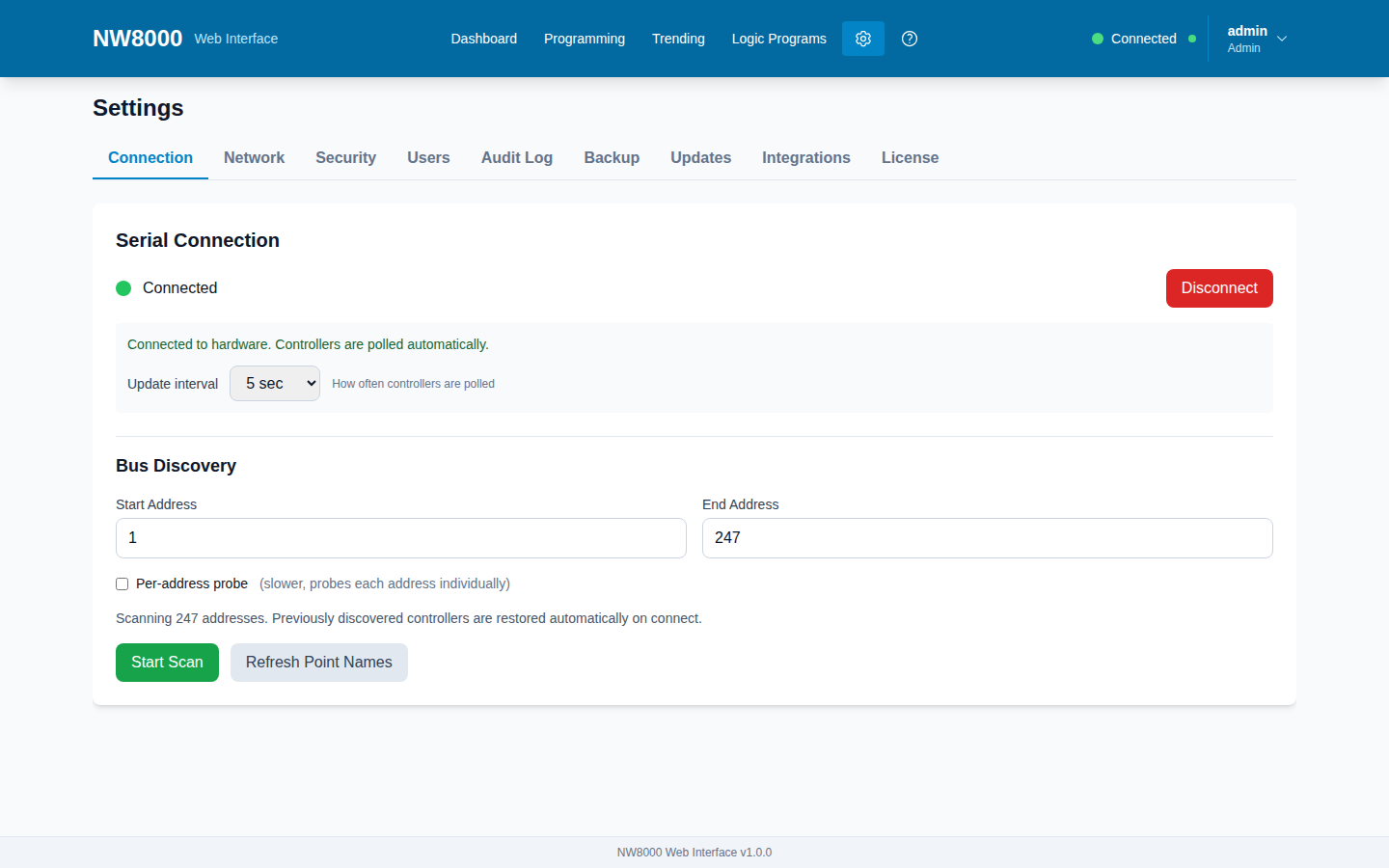
Then you run a scan. The gateway sweeps the bus: it does the 1200-baud wake-up, switches to 19200, and probes each address in turn. As it finds controllers, they appear in the list with their address and name. Watch the scan progress live — that feedback tells you the bus is healthy.
If a scan finds nothing, go back to the wiring: polarity, termination, addressing, and power. A dead scan is almost always physical, not software.
Connect and set the poll interval
Once discovered, connect the controllers so the gateway starts polling them. They will show up on the Dashboard as online tiles — exactly what your operators will see.
Next, set the poll interval in Settings. This is how often the gateway reads fresh data from each controller — the default is a few seconds. Faster polling means more current data but more bus traffic; on a big bus with many controllers, do not set it needlessly fast. Pick a value that balances freshness against bus load.
Verify
Every expected controller is online. The names and point data look right. The last-updated time on the Dashboard is ticking. That is a commissioned system. Capture a screenshot of the Dashboard with everything online — that is your commissioning evidence.
Key points
- Three steps to bring controllers online: select the serial port, scan the bus, connect the discovered controllers.
- Watching the live scan progress confirms the bus is healthy.
- A dead scan is almost always a physical bus problem, not software.
- The poll interval trades data freshness against bus load — do not set it needlessly fast on a big bus.
- Verify all expected controllers online with a ticking last-updated time; screenshot the Dashboard as evidence.
Check your understanding
- What are the three steps to bring controllers online from the discovery page?
- A bus scan returns no controllers. Where do you look first?
- What does the poll interval control, and what is the trade-off of setting it very fast?